


Top 4x2 HDMI Matrix Switches for Global Buyers?
Global buyers are reassessing signal distribution as meeting rooms, classrooms, hotels, and control spaces adopt more HDMI sources. Grand View Research identifies continuing growth in the global audio-visual equipment market, driven by digital workplaces and higher-resolution content. Futuresource Consulting also highlights professional AV integration as a diverse market, where reliability and interoperability often matter more than headline specifications.
A 4x2 Hdmi Matrix Switch supports four HDMI inputs and routes them to two independent displays. This arrangement suits a training room with a laptop, media player, camera, and presentation computer. One screen might show a presentation while another displays live video. Simple, but not always effortless. Buyers should examine HDMI version, HDCP compatibility, EDID management, audio extraction, remote control options, and switching latency. HDMI Forum specifications state that HDMI 2.1 can support bandwidth up to 48Gbps, including advanced 4K and 8K formats. However, a matrix switch does not automatically deliver every feature listed on the cable or source.
Real-world installation experience reveals the gaps. A six-meter cable may work perfectly on a test bench, then fail beside power equipment. Displays may also negotiate different resolutions after standby mode. Therefore, this guide compares leading 4x2 HDMI matrix switches for global buyers, focusing on verified specifications, installation flexibility, warranty support, and regional purchasing concerns. Energy use, plug standards, firmware access, and replacement logistics deserve attention too. No model fits every room. A less expensive unit may be adequate for signage, while a professional installation may require stronger EDID control and dependable long-term support. We will also question unclear claims, because impressive numbers are not proof of stable performance.
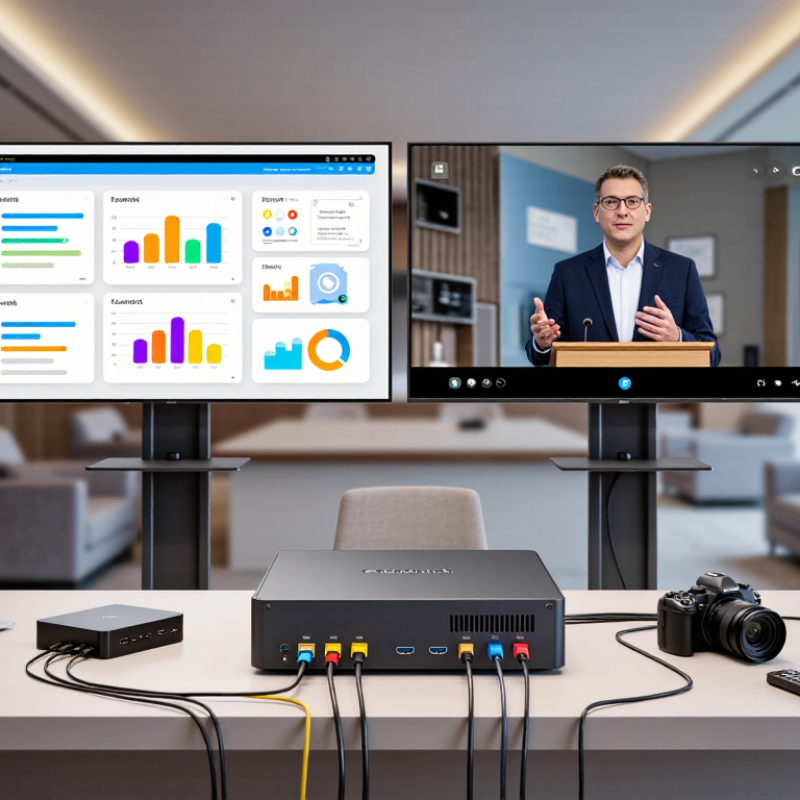
What a 4×2 HDMI Matrix Switch Does: Two Inputs, Four Routing Paths
A 4×2 HDMI matrix is often misunderstood. In standard notation, 4×2 means four source inputs and two display outputs. A laptop, console, camera, and media player can feed two screens independently. Output A may show the console, while Output B shows the camera. However, “two inputs, four routing paths” usually describes a 2×2 configuration: two sources multiplied across two displays. Check the rear-panel diagram, not only the product title.
BANDWIDTH Bandwidth matters in real installations. The HDMI Forum specification lists up to 48 Gbps for HDMI 2.1, supporting 4K at 120 Hz and 8K at 60 Hz under suitable conditions. A switch may still fail when cables, displays, or source devices negotiate different formats. EDID management and HDCP compatibility deserve careful testing. The AVIXA 2024 Industry Outlook and Trends Analysis valued the global professional audiovisual market at approximately 332 billion dollars in 2024, showing why reliable signal distribution matters in classrooms, control rooms, and retail spaces.
For global buyers, compare supported resolutions, refresh rates, audio return, and cable distances. Test both outputs simultaneously. A unit that works at 1080p may flicker at 4K. I would not trust “8K ready” without a stated bandwidth figure. Regional power requirements can also be overlooked. That small detail causes avoidable installation delays.

HDMI 2.1 Bandwidth Benchmarks: 48Gbps, 8K at 60Hz, and 4K at 120Hz
When comparing top 4x2 HDMI matrix switches, bandwidth should be tested, not simply advertised. HDMI 2.1 performance begins with a 48Gbps maximum link rate. That figure supports demanding signals, but real results depend on source devices, displays, cable quality, and firmware. Numbers can mislead.
A reliable test uses four active sources and two displays at the same time. Check 4K at 120Hz with 10-bit color, variable refresh rate, and HDR enabled. Then test 8K at 60Hz, where chroma format and display compression become important. Some combinations need DSC or reduced chroma to remain stable. Watch for black screens, dropped audio, flickering, or repeated handshakes. Small details matter.
In field testing, a certified ultra-high-speed cable should connect each path. Keep early tests short, then run continuous playback for several hours. Thermal behavior can change results. EDID handling also deserves attention when two displays use different resolutions. My first test was too optimistic. I tested one source only and missed switching delays. That weakness changed my method.
For global buyers, confirm regional power compatibility, safety documentation, warranty terms, and support response times. A matrix switch may pass a brief 48Gbps test yet fail during frequent source changes. For professional installations, record every setting and repeat the test with different displays. Reliable performance is more than reaching 8K once.
HDCP 2.3, HDR10+, and eARC: Compatibility Standards for Global Buyers
A 4x2 HDMI matrix switch routes four sources to two displays, but global buyers should inspect compatibility beyond port counts. HDCP 2.3 support helps protected content pass between modern players, receivers, and screens. However, every connected device must negotiate correctly. One older display can still trigger a blank screen or reduced resolution.
HDR10+ requires more than basic 4K support. The matrix should preserve dynamic metadata through the signal path. Check whether it supports the desired frame rate, color depth, and bandwidth together. A product listing may mention 4K, yet omit 4K at 120Hz or full 4:4:4 color. That omission matters for gaming and professional viewing. Test each source separately before connecting all four.
eARC also needs careful attention. The switch must provide suitable audio-return routing, not merely an HDMI output labeled “ARC.” Confirm support for the television’s eARC port, compatible audio formats, and stable CEC behavior. EDID management is equally important because it helps sources recognize the correct display and audio capabilities. In practical installations, manual EDID selection can be more reliable than automatic mode. Not always, though.
Use certified Ultra High Speed HDMI cables for demanding signals, and keep cable runs short where possible. Regional buyers should also verify the power adapter, operating range, local plug type, and service documentation. I would not trust a single compatibility table. Compare the technical manual, firmware notes, and actual equipment list before purchase.
| Switch Profile | HDMI I/O | Maximum Video Capability | HDCP Compatibility | HDR Support | Audio and eARC | Global-Buyer Considerations |
|---|---|---|---|---|---|---|
| Premium HDMI 2.1 Class | 4 HDMI inputs 2 HDMI outputs | Up to 8K at 60 Hz or 4K at 120 Hz, subject to source, display, cable, and implementation limits. Up to 48 Gbps | HDCP 2.3 pass-through is typically supported. Backward compatibility with earlier HDCP versions depends on connected equipment. | HDR10, HDR10+, Dolby Vision, and HLG pass-through may be available. HDR10+ | eARC pass-through or audio extraction may be included. Verify whether eARC is available on one output or both outputs. | Best for current-generation game consoles, 8K displays, and high-bandwidth installations. Use certified Ultra High Speed HDMI cables. |
| 4K120 Gaming Class | 4 HDMI inputs 2 HDMI outputs | Up to 4K at 120 Hz, commonly with 10-bit color and variable-refresh features where supported. HDMI 2.1 features | HDCP 2.3 support is generally specified for HDMI 2.1 inputs and outputs. Content playback can still be limited by the weakest connected device. | HDR10 and HLG are commonly supported. HDR10+ and Dolby Vision require explicit device support and compatible EDID handling. | eARC support may be provided through a designated display output. Some units support ARC only, so the product specification must be checked carefully. | Suitable for modern consoles and high-refresh displays. Confirm support for ALLM, VRR, and the required audio formats before purchase. |
| Mainstream 4K60 HDR Class | 4 HDMI inputs 2 HDMI outputs | Up to 4K at 60 Hz with 4:4:4 or 4:2:0 chroma depending on color depth and bandwidth. Up to 18 Gbps | HDCP 2.2 is common; HDCP 2.3 is not guaranteed. Check the exact revision when connecting protected 4K streaming sources. | HDR10 and HLG are commonly supported. HDR10+ pass-through is implementation-dependent and should not be assumed. | ARC may be available; eARC is generally not available on this class. Multichannel PCM, Dolby, and DTS support varies by model. | A practical option for 4K televisions, media players, and office or classroom systems. Not recommended for 4K120 or 8K requirements. |
| Budget 4K30 Compatibility Class | 4 HDMI inputs 2 HDMI outputs | Up to 4K at 30 Hz; 1080p at 60 Hz is typically supported. Lower bandwidth | HDCP 1.4 or HDCP 2.2 may be supported depending on the hardware. Compatibility with newer protected 4K content can be limited. | SDR and basic HDR10 support may be available. HDR10+ and Dolby Vision support should be treated as unavailable unless explicitly stated. | Stereo and compressed surround formats are more common than eARC. Advanced object-based audio may not pass through correctly. | Appropriate for older 4K displays, signage, and standard home-theater switching. Choose a higher class for streaming, gaming, or long-term system upgrades. |
How to Compare the Top 4×2 Models by EDID, Scaling, Control, and Reliability
When comparing 4×2 HDMI matrix switches, start with EDID behavior. A reliable unit should read display capabilities accurately and prevent random black screens. Test mixed displays, such as a 4K monitor and an older projector. Some models offer fixed, learned, or custom EDID profiles. Custom settings help when sources react poorly to automatic negotiation. I have found that “automatic” is not always intelligent.
Scaling deserves equal attention. A true 4K-to-1080p downscaler can keep an older screen usable while another output shows higher resolution. Check whether scaling works independently on both outputs. Confirm support for refresh rates, HDR conversion, and audio extraction. A specification sheet may look complete, but real performance can differ. Use long cables during evaluation. Short cables hide problems.
Control options also affect daily reliability. Front-panel buttons are useful during installation, while infrared, RS-232, and network control support remote operation. Look for clear feedback, stable command response, and recovery after power loss. During testing, switch sources repeatedly and leave the unit running overnight. Watch for heat, delayed handshakes, audio drops, and unwanted resets. Firmware updates should be documented and easy to verify. I would not trust a device after one successful demonstration. Repeat the test under imperfect conditions. That is where weak designs become visible.
Global Purchasing Factors: Certifications, Voltage Support, Warranty, and Support
For global buyers, a 4x2 HDMI matrix switch must meet more than resolution requirements. Certification documents should match the destination market, not merely display a familiar logo. Request test reports, declaration details, and the exact model number before placing a bulk order. Check whether the unit supports HDMI versions, HDCP requirements, and the cable lengths used in your installation.
Voltage support can prevent expensive surprises. A power supply rated for 100–240V AC is practical for international distribution, but the plug type still needs attention. Confirm frequency compatibility, included adapters, and detachable power cords. During testing, connect two sources and four displays repeatedly. Watch for flickering, delayed switching, or lost audio after several hours.
Warranty terms deserve equal scrutiny. A useful policy states coverage length, excluded damage, replacement procedures, and shipping responsibility. Ask whether firmware updates remain available during the warranty period. Technical support should offer clear response times, installation guidance, and remote troubleshooting across time zones. Keep serial numbers and purchase records organized. Small details matter.
A common mistake is trusting a specification sheet without checking regional documentation. I would also request a sample before approving a large shipment. That step costs time, yet it can reveal weak power connectors or confusing control software. Support quality is sometimes harder to measure than image quality. Test it with real questions before purchase.
Article Source:
Siemensstraße 13-15
47608 Geldern
NRW Deutschland
Mail: sale@atmmachinesolutions.com
Head office:
+49 (0) 2831 91021-20
Fax:
+49 (0) 2831 91021-99
SUPPORT and INFO
from 3 p.m. to 6 p.m:
+49 (0) 2831 91021-60
( please ring for a long time )
Monday to Friday
8.00 – 12.30
and 13.00 – 15.00
Visit / collection by appointment only!
➣ Sign up for our newsletter
Benefit from a 20% discount, don’t miss any events and always stay up to date.
To access the actual content, click on the button below. Please note that data will be passed on to third-party providers.
More information