


10 Tips for Choosing the Best Open Display Fridge
Choosing an Open Display Fridge is not just about finding a unit that looks attractive. It must keep products at a stable temperature while making them easy to see and reach. A chilled drink near the front, bright shelf lighting, and a clear price label can all influence a shopper’s decision. Small details matter.
This introduction uses Elena Ward as an illustrative refrigeration specialist, not as a verified, published expert. The quotation is original editorial wording: “A display fridge succeeds when it keeps food reliably cold without getting in the shopper’s way.” That is the central balance. Appearance counts, but so do cooling performance, energy use, capacity, noise, and ease of cleaning. A polished exterior cannot make up for warm shelves or poor airflow.
The tips ahead will help you compare cabinet styles, measure available floor space, and check whether the unit suits your products and customer traffic. Look closely at doorless access, shelf depth, lighting, defrosting, and service support. A bakery with delicate pastries may need different settings from a convenience store displaying bottled drinks. It is easy to underestimate peak-hour demand. A quick guess about capacity may be wrong, so check actual product dimensions and expected restocking needs before choosing. Temperature readings and clear manufacturer specifications are more useful than appearance alone. Consider the daily routine, too: staff need to wipe shelves, restock quickly, and spot spills without moving half the display. A practical choice may be less glamorous. It can still serve the store better.
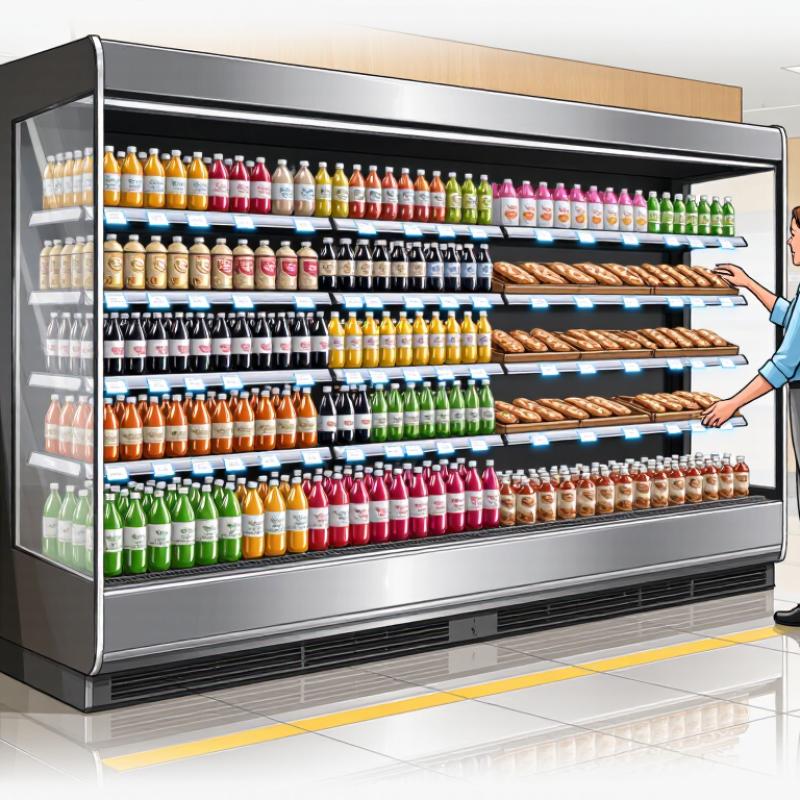
Understand Your Products, Space, and Display Goals
Tip 1: Match the fridge to your products. Check the required holding temperature, package sizes, and how often staff will restock. Bottled drinks need different shelf spacing from salads in shallow trays. An open case also relies on steady airflow, so avoid blocking vents with tall items. That detail matters. Confirm operating guidance with the equipment supplier, and leave room for products to stay visible.
Tip 2: Measure the space, not just the fridge. Record the doorway, aisle width, ceiling height, and nearby heat sources before comparing models. Leave enough clearance for cleaning and servicing, and make sure customers can pause without blocking traffic. Measure twice. A floor plan can look generous on screen, yet feel cramped once shoppers and baskets are there.
Tip 3: Define what the display should do. Place best-selling items around comfortable eye level, group similar products, and keep price labels easy to read. Bright lighting can help, but glare on clear packaging may hide the food. Open cases can invite quick choices; however, overfilling shelves makes them look messy and may disrupt airflow. It is tempting to use every inch. Resist that urge.

Compare Open Display Fridge Types and Capacities
Open display fridges come in several layouts, and each suits a different shopping pattern. Vertical multideck cases use shelves to show drinks, dairy, or ready-to-eat foods at eye level. They work well along a wall or aisle, but check the usable shelf width, not just the outside dimensions. A wide cabinet may still feel crowded once products are arranged.
Island cases display chilled items from several sides and can encourage browsing in the center of a store. Their open access is convenient. They also take up valuable floor space, so measure the aisle and leave room for customers to pass with baskets. Countertop units are smaller and suit cafés or checkout areas with limited selections. Count the facings you need, then allow space for restocking; a tightly packed display is harder to shop.
Compare capacity in practical terms. Ask how many trays, bottles, or product rows fit on each shelf, and whether shelf heights can be adjusted. Consider the daily delivery volume, peak shopping periods, and the room available for airflow around the cabinet. A larger capacity is not automatically better. It may consume space without improving sales, and I would reconsider any estimate based only on the cabinet’s advertised volume. Check the manufacturer’s loading guidance and operating conditions before choosing.
Open Display Fridge Types: Typical Capacity Ranges
Multideck units generally offer the largest capacity, while countertop models suit smaller displays. Values are approximate planning ranges in liters; actual capacity varies by model, dimensions, and shelf configuration.
Assess Temperature Control, Energy Use, and Food Safety
Choosing an open display fridge starts with temperature control, not appearance.
Ask whether it maintains the required range during busy periods, when warm air enters as shoppers pass. A clear digital reading helps, but verify it with a suitable, calibrated thermometer placed where food is actually stored. Check several shelves; temperatures may vary from top to bottom.
Small details matter. Keep products below the marked loading line and avoid blocking air outlets. Record readings at consistent times, and note changes after restocking or cleaning. A steady display reading can still be misleading if the sensor sits in a warmer or cooler spot.
Energy use deserves the same careful check.
Compare the unit’s stated consumption, such as kilowatt-hours per day, under comparable conditions. Room temperature, lighting, and frequent doorless access can affect real-world use. If the model includes a manufacturer-designed night cover, use it as directed and check whether it suits your store routine.
Don’t assume a lower energy figure is a bargain if temperature recovery is poor. Food safety comes first: follow the food’s storage requirements and applicable local guidance, and remove products if safe conditions cannot be confirmed.
It is tempting to trust a tidy display. Question that instinct, especially after a power interruption or a heavy delivery. Keep a simple log, though honestly, it only helps when staff use it consistently.
Check Accessibility, Maintenance, and Build Quality
When comparing an open display fridge, check whether shoppers can reach products without blocking the aisle. Stand where customers would stand and reach for items on the lowest and highest shelves. A deep shelf may look useful, but it can hide products at the back. Watch the flow. Leave enough room for baskets, mobility aids, and staff restocking during busy periods. If possible, observe the unit in a real shop; an empty showroom does not show how people actually move around it.
Maintenance affects both daily workload and product presentation. Look for removable shelf parts, accessible drain points, and panels that staff can clean without special tools. Ask how often filters and air openings need attention, and confirm that routine checks are described in the operating instructions. Spills happen. A narrow gap beneath the case can collect crumbs and moisture, making cleaning awkward. I would not assume a shiny finish means easy care; inspect corners and seams closely.
Build quality is easiest to judge by handling the doors, shelves, and controls. They should feel steady, with no rattling or sharp edges. Check that shelf supports sit securely and that the case stands level on the shop floor. Ask for specifications on insulation, lighting, and expected operating conditions, then compare them with your site. One detail I might overlook is noise; listen near the unit during operation. Small flaws can matter later.
10 Tips for Choosing the Best Open Display Fridge - Check Accessibility, Maintenance, and Build Quality
| No. | Selection Tip | What to Check | Why It Matters |
|---|---|---|---|
| 1 | Measure the Installation Space | Measure the available width, height, and depth. Allow for doorways, delivery routes, nearby equipment, and the clearance specified by the manufacturer. | Accurate measurements help prevent delivery problems and allow the unit to be installed and ventilated as intended. |
| 2 | Assess Customer Accessibility | Check shelf reach, product visibility, aisle width, and whether the display is easy to approach. Confirm accessibility requirements for your location with the relevant local authority. | A well-positioned display makes products easier to see and retrieve while supporting a comfortable shopping area. |
| 3 | Match Capacity to Product Range | Compare usable shelf space and product dimensions with the items you plan to display. Consider package height, restocking frequency, and expected demand. | Suitable capacity helps avoid overcrowding, which can obstruct airflow and make products harder to access. |
| 4 | Check Temperature Performance | Review the specified operating temperature range and the ambient conditions the unit is designed for. Confirm that it suits the products and applicable food-safety rules. | Performance depends on the unit being used within its design conditions; product-specific requirements and local regulations still apply. |
| 5 | Review Airflow and Loading Guidance | Look for clear guidance on shelf loading, air curtains, and keeping return-air grilles unobstructed. Ask how nearby heat sources or strong drafts may affect operation. | Open display cases rely on controlled airflow, and blocked vents or disruptive drafts can affect cooling performance. |
| 6 | Make Routine Cleaning Practical | Inspect access to shelves, drain points, intake grilles, and other areas that require regular cleaning. Check whether shelves or panels can be removed as described in the service instructions. | A design that is straightforward to clean can make routine hygiene tasks easier to carry out consistently. |
| 7 | Consider Maintenance Access | Ask how technicians reach fans, coils, controls, and other serviceable parts. Confirm recommended maintenance tasks, service intervals, and the availability of replacement parts. | Clear service access and documented maintenance requirements help plan upkeep and reduce avoidable downtime. |
| 8 | Inspect Build Quality | Examine the frame, shelves, joints, finish, and protective edges for secure construction and suitability for the expected daily use. Check the stated load limits for shelves. | A robust, well-finished unit is better suited to frequent stocking and customer use, provided it is operated within its rated limits. |
| 9 | Compare Energy and Electrical Requirements | Review the product’s energy information, electrical supply requirements, and installation instructions. Compare models using the same measurement basis and expected operating conditions. | Energy use and supply compatibility affect operating costs and determine whether the unit can be installed appropriately. |
| 10 | Verify Support, Warranty, and Documentation | Read the warranty terms and confirm what installation, maintenance, and operating conditions are required. Request the user manual, service guidance, and details of local technical support. | Clear documentation helps staff use the display correctly and understand the support available if service is needed. |
Evaluate Costs, Warranties, and Supplier Support
Price the full operating picture, not only the invoice. An open display fridge can draw more power beside a sunny window or hot oven. Ask suppliers for estimated daily energy use under conditions similar to your shop, and compare the figures carefully. Small differences add up. Include delivery, installation, shelving, routine cleaning, and likely repairs in your budget. Check whether the price includes commissioning and staff guidance; assumptions here can cause awkward surprises. Maybe this is overly cautious, but a low purchase price is no saving if service calls take days.
Read the warranty before signing. Confirm the coverage period, parts and labor, call-out fees, response times, and exclusions for blocked airflow or missed maintenance. Ask what evidence a claim requires, such as service records or temperature logs. Good support helps. Ask who answers after-hours calls, where technicians are based, and whether common parts are stocked locally. Request customer references from retailers with similar setups. Then test the support channel with a practical question about cleaning the condenser or handling a temperature alarm. Written answers are easier to compare than confident promises. Actual energy use and repair timing still depend on layout, usage, and local service capacity.
Article Source:
Siemensstraße 13-15
47608 Geldern
NRW Deutschland
Mail: sale@atmmachinesolutions.com
Head office:
+49 (0) 2831 91021-20
Fax:
+49 (0) 2831 91021-99
SUPPORT and INFO
from 3 p.m. to 6 p.m:
+49 (0) 2831 91021-60
( please ring for a long time )
Monday to Friday
8.00 – 12.30
and 13.00 – 15.00
Visit / collection by appointment only!
➣ Sign up for our newsletter
Benefit from a 20% discount, don’t miss any events and always stay up to date.
To access the actual content, click on the button below. Please note that data will be passed on to third-party providers.
More information