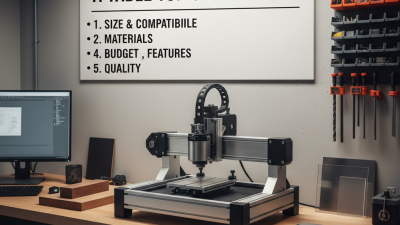


Top 10 Desktop CNC Machines for Every Budget

Choosing a desktop cnc machine is rarely as simple as comparing prices. A compact router may cost less, yet require stronger dust control, careful calibration, and patient setup. A hobbyist milling machine can offer greater rigidity, but its smaller work area may limit larger projects. These differences matter when cutting hardwood, acrylic, aluminum, or other suitable materials.

This guide examines ten desktop CNC machines across several budget levels. Each option is considered through practical factors, including cutting accuracy, spindle performance, working area, software compatibility, assembly demands, and long-term support. Real workshop details matter. A machine that fits neatly beside a laptop may still need clearance for cables, clamps, and dust extraction. Noise can also become a problem in shared homes or small studios.

Budget is only one part of ownership. Tooling, replacement bits, maintenance, and safety equipment can quietly increase the final cost. Some machines appear affordable but provide limited documentation or weaker customer support. Others cost more but reduce frustration through better frames, clearer instructions, and dependable components.

No machine is perfect. Even experienced users may discover that advertised specifications do not match every material or project. This comparison keeps that limitation visible. It focuses on realistic expectations, verified features, and common user experiences rather than impressive claims alone. Whether you are making signs, prototypes, furniture components, or custom fixtures, the right machine should match your skills, workspace, and production goals. Choose carefully. Mistakes are expensive.
Top 10 Desktop CNC Machines for Every Budget

Define Desktop CNC Classes by Axes, Work Area, and ISO 230-1 Accuracy

Desktop CNC machines should be compared by capability, not appearance or price alone. A three-axis machine moves along X, Y, and Z, making it suitable for plates, signs, and simple molds. Four-axis models add rotary movement, helping cut around cylindrical workpieces. Five-axis machines tilt and rotate the tool, reducing setups for complex surfaces. More axes do not automatically mean better results.

Work area is the next practical class. A machine advertised with a large bed may lose space to clamps, spoilboards, and a rotary attachment. Measure the usable travel, not the outer frame. Leave room for tool clearance and safe loading. Entry-level machines often suit small plastic or wood parts. Mid-range machines may handle aluminum more consistently, if rigidity and cooling are adequate. Larger desktop systems offer more capacity, but they also demand stronger benches and better dust control.

ISO 230-1 provides a professional framework for evaluating geometric accuracy in machine tools. It can reveal straightness, squareness, and alignment errors, but it is not a promise of finished-part perfection. Thermal changes, tool deflection, workholding, and operator setup still matter. Check whether test conditions are documented. Ask for repeatability data, calibration records, and measured results under realistic loads. My own testing experience suggests that a smaller, rigid machine can outperform a larger flexible one. That surprised me. Budget rankings should include maintenance, measurement tools, and wasted material, not only the purchase price.

Segment Budget Tiers by Spindle Power, RPM, and 0.05 mm Tolerance

Desktop CNC machines are easier to compare when budget tiers include spindle power, speed, and verified accuracy. Gardner Intelligence’s 2024 World Machine Tool Survey estimates global machine-tool consumption reached about $83.9 billion in 2023. That figure covers a broad industry, not desktop machines specifically, but it highlights why price alone says little about capability.

For light wood, plastics, and engraving, a 300–800 W spindle running around 8,000–12,000 RPM may be adequate.

Mid-tier machines often use 1–2.2 kW spindles, with speeds near 12,000–24,000 RPM for broader material and cutter choices.

More power helps maintain cutting load; it does not guarantee cleaner edges or better accuracy.

Treat 0.05 mm as a measured target, not a promise on a product page. ISO 230-2 sets methods for testing machine-tool positioning accuracy and repeatability, offering a useful reference when comparing claimed performance.

Ask how accuracy was measured, over what travel, and under what load. A dial indicator, rigid workholding, and a careful test cut can reveal more than a headline specification.

Small, but not simple.

Spindle runout, frame flex, tool condition, and temperature can all shift results.

Even a costly machine may miss the target on a long, vibrating cut. That’s the uncomfortable part.

Compare the Top 10 Machines by Travel, Materials, Tooling, and Duty Cycle

A useful Top 10 desktop CNC comparison starts with travel, not headline power. Record X, Y, and Z travel separately: a wide panel may fit the bed but still exceed the machine’s usable cutting area. Compare the smallest and largest work envelopes, then note whether a rotary axis reduces clearance. Materials matter just as much. A machine suited to engraving wood or plastic may struggle with aluminum unless its frame, spindle, and feeds are appropriate. Small details count. Check collet sizes, tool-change method, and compatible end-mill diameters; these determine which cutters you can actually use. For context, the International Federation of Robotics’ World Robotics 2024 report counted 4,281,585 industrial robots operating worldwide in 2023, up 10% from 2022. That signals wider automation adoption, not desktop CNC sales.

Duty cycle needs careful comparison. Manufacturers may describe continuous operation differently, so treat advertised limits cautiously and check cooling, spindle ratings, and maintenance guidance. A hobby machine running occasional jobs is not equivalent to one cutting for hours each day. Compare the ten machines using the same test: cut a small aluminum pocket or hardwood profile, record the run time, and inspect edge quality and tool wear. Keep feed rate and cutter size consistent. Otherwise, the “fastest” result may mean little. I would still question any ranking that reduces performance to travel alone; a roomy bed cannot compensate for weak workholding or poor chip removal. These tests take time. Cite each machine’s published specifications and label any hands-on observations separately, so readers can distinguish measured results from estimates.

Evaluate CAM Compatibility, Controller Types, Safety, and 110–240 V Power

Choosing among the top ten desktop CNC machines starts with the work you plan to make. Check whether the CAM software exports toolpaths the controller can read, such as standard G-code. A polished interface means little if setup requires repeated file conversion. Test with a small cut first. That catches surprises.

Tips: Compare controller types before buying. A computer-connected controller may suit a shared workshop, while a standalone unit can reduce cable clutter. Confirm the machine’s input voltage, plug, and power supply support your local 110–240 V range; voltage labels can be confusing. Check grounding and emergency-stop access, too.

Safety deserves the same attention as cutting area. Look for a rigid enclosure or practical chip guards, clear emergency-stop placement, and guidance for dust collection. Small cutters can still throw sharp chips. Keep hands clear. Check that compatible CAM software offers feeds and speeds for your material, then verify them against the machine manual. I would not assume advertised accuracy holds across a full workpiece; test repeatability on scrap and inspect the cut edges. Some setup friction is normal, but vague electrical details are a reason to pause.

Rank Each Machine by Capacity, Maintenance, Throughput, and Total Ownership Cost

Rank desktop CNC machines by usable capacity, not headline travel. Measure the largest practical workpiece, including clamps and tool clearance. A machine with a compact bed may still handle small parts efficiently, while a larger frame can demand costly fixtures and more floor space. Score maintenance by access to bearings, belts, collets, and dust collection, plus the time needed for routine cleaning. Small is not cheap.

Throughput means finished, usable parts per hour—not just spindle speed. Compare real cutting tests using the same material, tool, and toolpath; include setup, tool changes, and cleanup. For total ownership cost, add tooling, fixtures, software, extraction, electricity, maintenance, and expected downtime to the purchase price. McKinsey Global Institute’s 2015 report, The Internet of Things: Mapping the Value Beyond the Hype, estimates predictive maintenance can reduce industrial downtime by 30–50% and maintenance costs by 10–40%. These are broad industrial estimates, not desktop-CNC guarantees. A tidy spreadsheet still misses operator learning time; that matters.

Tips: Track one week of actual jobs. Log setup minutes, tool wear, rework, and completed parts. Then rank each machine by capacity, maintenance burden, throughput, and three-year ownership cost. Keep the assumptions visible. They may be wrong.

Top 10 Desktop CNC Machines for Every Budget — Ranked by Capacity, Maintenance, Throughput, and Total Ownership Cost

A practical comparison of common desktop and benchtop CNC machine classes, rather than specific branded models. Rankings balance usable capacity, upkeep, typical job throughput, and estimated three-year cost.

Rank Machine Class Typical Price Range (USD) Typical Work Envelope Suitable Materials Maintenance Needs Typical Throughput Estimated 3-Year Total Ownership Cost (USD) Best Fit
1 4040 Desktop Router $700–$1,800 About 400 × 400 × 80 mm Wood, plastics, PCB material; light aluminum with conservative cuts Low to moderate: clean rails, check fasteners, lubricate motion components, and replace cutters as needed Medium: practical for signs, panels, fixtures, and small-batch parts $1,300–$3,200 Best overall balance of work area, cost, and routine upkeep
2 Enclosed 3020 / 3040 Router $1,200–$3,500 About 300–400 × 200–300 × 50–100 mm Wood, plastics, PCB material, and light aluminum depending on rigidity Low to moderate: enclosure cleanup, collet and cutter checks, and periodic lubrication Medium: enclosure and dust control support repeatable small-part work $2,000–$5,500 Workshops needing a contained machine with a modest footprint
3 Compact Benchtop CNC Mill $4,000–$12,000 About 200–300 × 100–200 × 150–250 mm Aluminum and other nonferrous metals; some models can machine steel with light cuts Moderate to high: manage chips and coolant, inspect ways and tooling, and maintain spindle and lubrication systems Low to medium: slower cuts, but suited to accurate metal parts and repeat jobs $6,000–$16,000 Users prioritizing metal-cutting rigidity and accuracy over large workpieces
4 6040 Desktop Router $1,500–$4,000 About 600 × 400 × 100 mm Wood, plastics, composites, and light aluminum when machine rigidity permits Moderate: larger motion system needs regular cleaning, alignment checks, lubrication, and dust management Medium to high: larger panels reduce setup and repositioning for repeated jobs $2,700–$6,500 Small businesses and makers producing medium-size panels or batches
5 3018-Size Entry-Level Router $200–$600 About 300 × 180 × 45 mm Wood, plastics, PCB material; not intended for heavy metal cutting Low: keep the frame clean, check belt or screw tension, and replace small cutters regularly Low: best for learning, engraving, and small, shallow parts $450–$1,300 Lowest-cost entry point for hobby use and light engraving
6 Large-Format 6090 Benchtop Router $3,000–$8,000 About 600 × 900 × 120–150 mm Wood, plastics, and composites; light aluminum with suitable construction and tooling Moderate: longer axes require careful alignment, dust extraction, lubrication, and periodic backlash checks High for large panels: fewer toolpath splits and workpiece repositioning $5,000–$12,000 Production of larger signs, cabinet components, and sheet goods
7 Rigid 4040 Aluminum-Capable Router $2,000–$5,000 About 400 × 400 × 80–120 mm Wood, plastics, and nonferrous metals with conservative feeds and appropriate cutters Moderate: frequent chip removal, cutter inspection, lubrication, and periodic squareness checks Medium: good for small metal parts, but not comparable to an industrial mill for heavy cuts $3,500–$8,000 Makers who need a compact router with more rigidity for light metal work
8 Belt-Driven Desktop Router $400–$1,200 About 300–500 × 300–500 × 50–100 mm Wood, foam, plastics, and other soft materials Moderate: belts need tension checks and eventual replacement; keep guides free of dust Medium on soft materials; lower on detailed or tolerance-critical work $800–$2,200 Budget-conscious users cutting lightweight materials over a relatively broad area
9 Compact 5-Axis Desktop CNC $5,000–$15,000 Typically about 150–250 mm per axis; usable rotary work area varies Wood, wax, plastics, and light nonferrous-metal work depending on machine rigidity High: rotary-axis calibration, workholding, collision checks, and more complex toolpath setup Low to medium: can machine complex shapes in fewer setups, but programming and setup take longer $7,500–$20,000 Specialized work such as sculpted parts, prototypes, and multi-sided components
10 Compact 3040-Size Router Kit $350–$900 About 300–400 × 200–300 × 50–80 mm Wood, plastics, PCB material, and engraving stock Low to moderate: check frame fasteners and motion tension, clean dust, and replace cutters Low to medium: more capacity than a small entry machine, but limited for long or demanding jobs $700–$1,800 Hobbyists wanting a larger work area without a major equipment investment

Cost estimates are illustrative USD ranges for the machine, ordinary cutters or consumables, and routine maintenance over three years. They exclude labor, shipping, taxes, dust extraction, computer/software upgrades, major repairs, and optional tooling. Actual capacity, material limits, maintenance intervals, and production speed depend on the specific machine, setup, and cutting strategy.

Kontaktbox-Frau

  • CNC-STEP – Quick contact