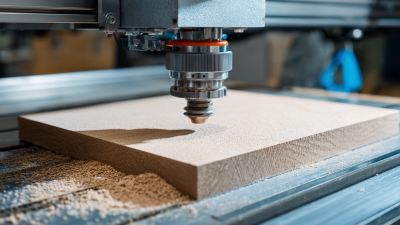


7 CNC Router Kit Tips for Choosing the Right Kit
Choosing a CNC router kit is less about chasing the biggest spindle and more about matching the machine to real work. A sign maker cutting plywood has different needs from a hobbyist engraving small hardwood parts. A machine that looks capable in a product photo may still have a cramped work area, a flexible frame, or software that slows every job.
The wider market offers useful context, but not a direct measure of kit sales. Grand View Research estimated the global CNC machine market at USD 101.22 billion in 2023 and projected a 5.5% compound annual growth rate from 2024 to 2030. That figure covers CNC machines broadly, not router kits alone. Still, it reflects growing investment in computer-controlled manufacturing. Details matter.
For buyers, practical checks are more revealing than market size. Measure the largest part you expect to cut, then compare it with the usable work area. Check spindle specifications, frame construction, controller compatibility, included software, and dust collection. Also ask what the warranty covers and whether replacement parts are available. These details can shape the daily experience more than a headline speed rating.
The seven tips below provide a grounded way to compare options, from build quality to support. They cannot remove every trade-off. A lower-cost CNC router kit may suit occasional projects, but require upgrades later. Be honest about that possibility before buying.
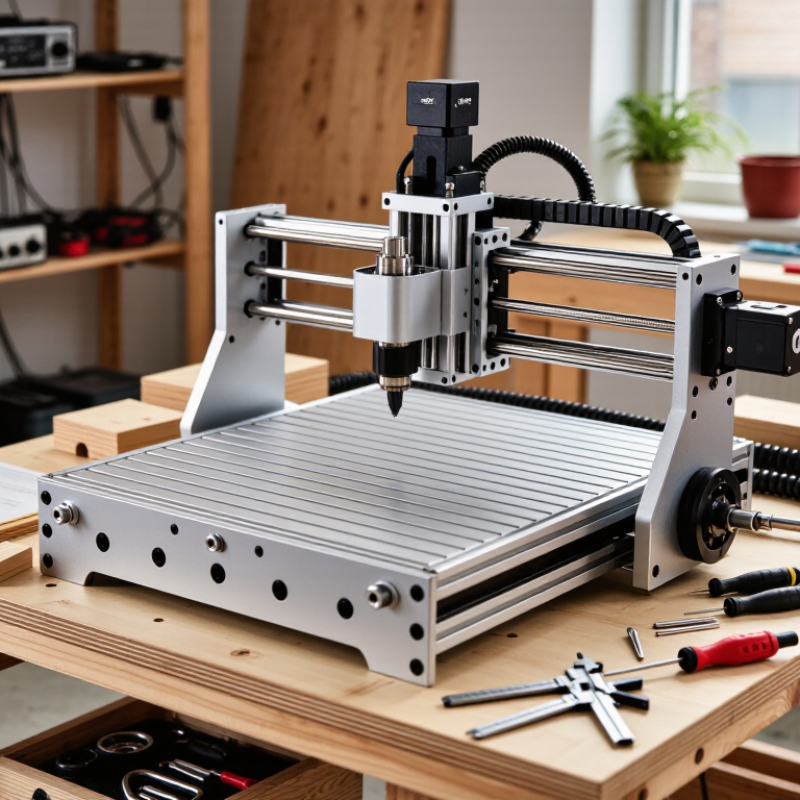
Define Your Projects, Materials, and Required Cutting Capacity
Start with the parts you actually plan to make. A CNC router for engraved signs has different needs from one cutting cabinet panels or shaping thick furniture components. Note each project’s largest dimensions, smallest details, and typical production volume. A small sample design can help reveal whether your planned work needs fine engraving or fast, repeated passes.
List the materials you expect to cut, not just the material you use today. Softwood, plywood, plastics, and aluminum place different demands on the router, tooling, and cutting settings. Check the kit’s stated compatibility, spindle options, and frame rigidity. Then consider dust collection and workholding; a board that shifts mid-cut can ruin an otherwise careful setup. Leave room for testing. Material thickness and tool condition affect real results.
Match the machine’s cutting area to your largest workpiece, with some practical clearance for clamps and tool movement. A quoted cutting capacity may describe travel, not the usable space around a secured panel. Measure your stock before choosing. More capacity can mean a larger footprint and added cost, while too little can force awkward repositioning. That trade-off is easy to underestimate. Recheck your estimates against an actual project drawing, and be honest about what may change.
Compare Work Area, Frame Design, and Machine Stability
A CNC router’s work area should match the stock you actually use, with room for clamps and tool movement. A nominal 600 × 900 mm bed cannot safely support a full-size panel if its usable cutting area is smaller. Check the stated travel on each axis, then confirm it against the maker’s test sheet. ISO 230-2:2014 describes how machine-tool positioning accuracy and repeatability can be measured. Ask for those results, not only the advertised dimensions.
Frame design affects how the machine handles cutting forces. A wide gantry and well-braced frame can reduce flex, while a lightweight structure may vibrate during deep cuts in hardwood. Look for measured positioning deviation and repeatability under the same test conditions. ISO 230-1:2012 covers geometric-accuracy testing, including straightness and squareness. These figures help compare machines, but they do not guarantee identical results with every cutter or material.
Stability is practical, not just a spec-sheet number. A router that rocks on an uneven floor may leave ripples across a broad panel. Check the base, feet, gantry joints, and spindle mount; then consider the machine’s weight and the surface supporting it. Bigger is not always better. I would compare usable area, frame stiffness, and test data together, even if that means choosing a smaller machine than first planned. Small compromises can be sensible; ignoring vibration is not.
7 CNC Router Kit Tips for Choosing the Right Kit
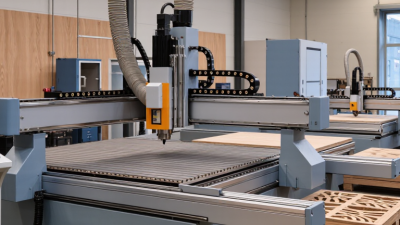
Compare representative work-area formats before choosing a kit. The listed dimensions are illustrative examples; actual usable areas vary by machine.
What to look for: Choose a work area that fits your stock and projects. Also compare frame rigidity, gantry design, and machine stability—work-area dimensions alone do not indicate cutting accuracy.
Assess Spindle Power, Motion Components, and Upgrade Options
7 CNC Router Kit Tips for Choosing the Right Kit
Spindle power should match your cutters, materials, and expected cut depth—not just the largest number on a spec sheet. A spindle’s advertised rating may describe input power rather than continuous output. Check its duty rating, cooling method, and speed range. Cutting hardwood with a small bit needs a different setup from engraving thin sheet material. More power is not always better. The U.S. Department of Energy’s 2014 motor-systems sourcebook estimates that motor-driven systems use about 70% of industrial electricity. That broad figure is not specific to routers, but it underscores why efficiency and workload deserve attention. Avoid paying for capacity you rarely use.
Motion parts shape accuracy and service life. Inspect rail size, bearing support, frame stiffness, and backlash; loose joints can show up as ridges along a cut edge. Ballscrews often offer controlled movement, while belts may suit lighter-duty work. Neither choice guarantees precision. ISO 230-2 provides methods for measuring a machine tool’s positioning accuracy and repeatability, useful concepts when comparing kit specifications. Ask whether the kit supports later upgrades, such as a stronger spindle, dust collection, or limit switches. Check that the control system and power supply can handle them. A tempting upgrade can become an awkward rebuild. I would also leave room in the budget for calibration tools; that part is easy to underestimate.
Check Controller Compatibility, Software, and Ease of Use
A CNC router kit can look complete and still cause setup trouble if its controller does not work with your computer or preferred workflow. Check the connection type, supported operating system, and file formats before buying. Some controllers accept standard toolpath files, while others rely on a particular sender program. Confirm that the software can import your design and communicate with the controller, not just display a preview. Small mismatch, big delay.
Read the setup instructions for clear details about motor wiring, limit switches, spindle control, and firmware updates. A useful test is whether the software can jog each axis slowly and show an emergency-stop response before cutting. If possible, review sample projects or setup videos. They can reveal steps that are vague or missing. Test it early.
Ease of use matters during routine tasks, such as setting zero, changing a tool, or recovering from a paused job. Look for readable labels and predictable controls. Check whether the kit includes a suitable post processor for your design software; otherwise, toolpaths may need adjustment. In practice, small compatibility gaps can take longer to resolve than assembly, though experience and computer setup make a difference. Verify the documentation and support options before committing.
Compare Kit Contents, Assembly Needs, Support, and Total Cost
A CNC router kit should match the work you plan to do, not just look complete in a product photo. Compare the included frame, spindle, controller, collets, wiring, and work-holding parts. A kit without clamps may require an extra purchase before you can secure a small plywood panel. Check the stated working area and supported materials, too. Small parts matter. I once underestimated cable management; loose wires can snag during setup and make a tidy machine feel unfinished.
Tips: Read the packing list line by line, then check what tools and skills assembly requires. Some kits need only basic hand tools, while others involve aligning rails, tensioning belts, and setting square corners. Look for clear instructions, replacement-part availability, and a support contact that can answer setup questions. Ask before buying. A vague manual can turn a short build into a frustrating weekend.
Compare the total cost, not only the listed kit price. Add shipping, cutters, dust collection, clamps, safety gear, and any needed computer or software costs. Confirm whether the spindle requires a separate power supply or cooling equipment. These extras vary by design. Leave room in your budget for a few test materials, since early cuts may be imperfect. I would also keep a small reserve for missing fittings or upgrades; perhaps that is cautious, but it avoids stopping halfway through a project.
Related Posts
-
How to Optimize Your DIY CNC Router for Precision and Speed Using Expert Techniques
-
Best CNC Router UK 2026 Which One Should You Buy?
-

Top 10 Tips for Choosing the Right CNC Router for Your Needs?
-
Solutions for Optimal CNC Router Kit Performance
-
China Top 10 CNC Routers for Woodworking Which Is Best
-

Discover the Best CNC Router Kit for Your Business Needs?

Siemensstraße 13-15
47608 Geldern
NRW Deutschland
Mail: sale@atmmachinesolutions.com
Head office:
+49 (0) 2831 91021-20
Fax:
+49 (0) 2831 91021-99
SUPPORT and INFO
from 3 p.m. to 6 p.m:
+49 (0) 2831 91021-60
( please ring for a long time )
Monday to Friday
8.00 – 12.30
and 13.00 – 15.00
Visit / collection by appointment only!
➣ Sign up for our newsletter
Benefit from a 20% discount, don’t miss any events and always stay up to date.
To access the actual content, click on the button below. Please note that data will be passed on to third-party providers.
More information